A sales manager we will call Tom (a composite, not a real client) lost his phone on a train. It was a company device, but the screen was unlocked when it went missing; the work email was signed in, and nobody in the office could wipe it remotely because the phone had never been enrolled in any management system. The question he asked afterwards was simple: “Should we have bought Android or iPhones?” It was the wrong question, and the answer to the right one was much more useful.
Every week, business owners think about Android Vs iOS security and which is safer for their staff. The honest answer is that the UK’s National Cyber Security Centre (NCSC) does not rank them. Its device guidance says the advice holds good for all users and all operating systems. What decides security for most organisations is how the phones are managed, how quickly they receive updates, and what happens when one goes missing. This article explains those differences and gives you a practical way to choose.
The Short Answer: Neither Platform Is Automatically Safer
Both iOS and Android can be secured well, and both can be left exposed. The table below compares the factors the NCSC guidance highlights for business use. The differences are real, but they are differences in how you manage the devices, not in which badge is on the back.
Factor | iOS and iPadOS | Android | What it means for you |
|---|---|---|---|
Overall NCSC position | Advice applies to all operating systems; no platform is ranked | Same | Focus on management and policy, not the logo |
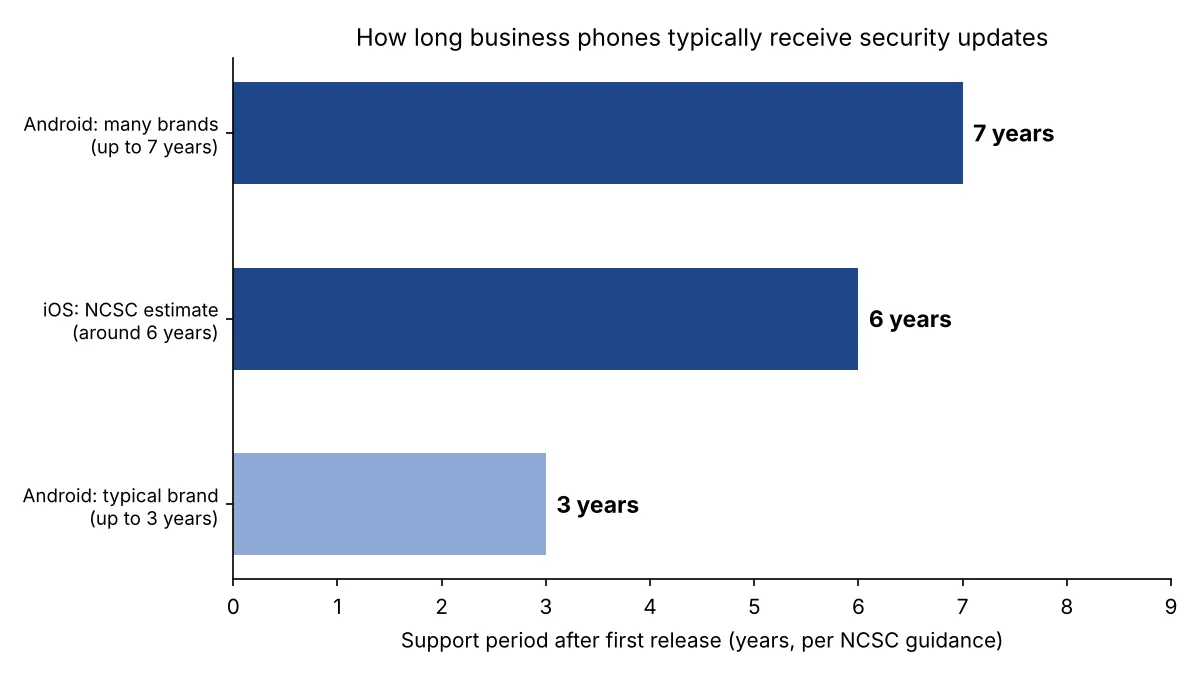
Typical update window | Around 6 years after first release (NCSC estimate) | Up to 3 years for most devices; many brands offer up to 7 | Check each model’s support date before you buy |
Management model | Supervised devices, managed through MDM; zero-touch enrolment via Apple Business Manager | Organisation-managed devices through an EMM console, with manufacturer policies via OEMConfig | Enrol every device from day one, whichever platform you choose |
Work and personal separation | Managed apps delivered from an enterprise catalogue | Work-only or work-personal modes, with work apps kept separate | Decide early which model fits your staff and data |
Third-party antivirus | Not required (NCSC) | NCSC does not recommend it in managed environments | Rely on management controls and updates instead |
Advanced protection | Lockdown Mode, enabled on the device and not configurable through MDM | Not covered on the NCSC page we reviewed | Most staff will not need it (NCSC view) |
Table 1: How the NCSC guidance and Apple and Android documentation treat the key security factors.
Why Management Matters More Than Just the Android Vs iOS Security
The most important security decision is not the device itself but whether it is managed at all. An unmanaged iPhone and an unmanaged Android phone share the same weakness: nobody can enforce a passcode, wipe corporate data remotely or check whether the operating system is up to date. Tom’s phone had both platforms’ strengths available to it, and none of them were switched on.
Both platforms offer strong management tools. Apple says its operating systems provide security policies that are “easy to enforce and manage”, and that a device management framework lets organisations require passcodes, restrict features and remotely wipe corporate data on managed devices. The NCSC recommends supervising iOS devices and, where possible, enrolling them through Apple Business Manager, which stops users removing the management profile after deployment. On Android, the NCSC says devices should be organisation-managed to enforce consistent policies.
Work and personal data on the same device
Many businesses allow staff to use personal phones for work. This is where the platforms differ in practice. On iOS, the NCSC describes delivering work apps as managed apps from a central catalogue, which keeps work data apart from personal apps. On Android, the NCSC describes two configurations: work-only devices that install apps from a private store, and work-personal devices where public Play Store apps are unmanaged and cannot access corporate data. Whichever you choose, write the rules down. Staff should know what the organisation can see and control on their own phone.